
Type S Jump Starter Manual: A Comprehensive Guide
This manual details the operation of Type S jump starters, including models AC530013 and AC532780, offering guidance on jump-starting, power banking, and troubleshooting․
Welcome to the Type S Jump Starter family! These portable devices are designed to provide reliable starting power for 12V vehicles, offering a convenient solution when you’re stranded with a dead battery․ Beyond jump-starting, Type S models, like the AC530013 and AC532780, function as powerful power banks for charging your mobile devices․
Furthermore, integrated features such as built-in flashlights enhance their versatility․ This manual provides comprehensive instructions for safe and effective use, covering everything from initial charging to troubleshooting common issues․ Understanding your Type S jump starter’s capabilities will ensure a positive and secure experience․
Understanding the Features of Your Type S Model
Type S jump starters boast a range of features designed for convenience and reliability․ Models like the AC530013 include Qi wireless charging capabilities, allowing for cord-free power delivery to compatible devices․ The AC532780, a ProJump model, offers increased amperage for starting larger engines․
Both models feature a JumpGuide system to assist with correct cable connection․ A crucial feature is the integrated LCD screen displaying battery status and output information․ The built-in flashlight provides illumination in emergency situations, enhancing safety and usability․ These features combine to make Type S a versatile power solution․
Safety Precautions Before Use
Prioritize safety when using your Type S jump starter; Always wear eye protection to shield against potential sparks or acid splashes․ Ensure the vehicle’s voltage is 12V before attempting a jump start – using it on other voltages can cause damage․
Never attempt to jump-start a frozen battery․ Avoid contact between the clamps, and do not allow them to touch each other while connected to the battery․ Ensure proper ventilation during use, as batteries can release explosive gases․ Disconnect the jump starter immediately if the vehicle starts or if any unusual noises occur․
Identifying the Components
Your Type S jump starter is a versatile device with several key components․ These include the positive (+) and negative (-) jump clamps, used for connecting to the vehicle’s battery․ An LCD screen displays the jump starter’s status, including remaining power and potential error codes․
The unit also features USB ports for power bank functionality, and potentially a Qi wireless charging pad on certain models (like AC530013)․ A built-in LED flashlight provides illumination in low-light conditions․ Familiarize yourself with the location of each component before operation․
Jump Starter Ports and Indicators
The jump starter features clearly marked positive (+) and negative (-) ports for clamp connection․ An LCD screen displays crucial information, including the remaining battery capacity indicated by LED levels – a minimum of three LEDs are recommended before attempting a jump start․
Error indicators on the screen will alert you to issues like reversed polarity or low voltage․ USB ports are present for charging external devices․ Understanding these ports and indicators is vital for safe and effective operation of your Type S jump starter․
Power Bank Functionality
Your Type S jump starter doubles as a portable power bank for charging mobile devices․ Models like the AC530013 offer a convenient 8000mAh capacity, while the AC532780 boasts a substantial 15,000mAh․ Utilize the integrated USB ports to charge smartphones, tablets, and other USB-powered gadgets․
Some models, such as the AC530013, also include Qi wireless charging capabilities for compatible devices․ This feature provides a cord-free charging experience․ The power bank function ensures you stay connected even when access to traditional power sources is limited․
Built-in Flashlight Features
The Type S jump starter incorporates a built-in flashlight, providing illumination in emergency situations or low-light conditions․ This feature enhances visibility when jump-starting a vehicle at night or inspecting an engine compartment․ The flashlight typically offers multiple modes, including a steady beam, a flashing mode for signaling, and potentially an SOS function for emergencies․
The flashlight’s brightness and battery life vary depending on the specific Type S model․ It’s a valuable addition for roadside assistance and general preparedness, ensuring you have a reliable light source when needed․

Charging the Jump Starter
Maintaining optimal charge is crucial for your Type S jump starter’s performance․ Regular charging ensures it’s ready when you need it most․ Use the provided charging cable and adapter, connecting it to a standard wall outlet․ Initial charging may take several hours, depending on the model’s capacity (8000mAh or 15,000mAh)․
Avoid overcharging, as it can reduce battery lifespan․ The unit features charging indicators to display the charging status – typically red while charging and green when fully charged․ Always check the indicators before relying on the jump starter․
Initial Charging Procedure
Before first use, fully charge your Type S jump starter․ Connect the provided charging cable to the unit’s charging port and plug the adapter into a standard 120V AC outlet․ The initial charge cycle can take between 6-10 hours for the 8000mAh model (AC530013) and potentially longer for the 15,000mAh ProJump (AC532780)․
During this initial charge, the indicator light will likely display red․ Allow the unit to charge uninterrupted until the indicator turns green, signifying a full charge․ This ensures optimal performance and longevity of the internal battery․
Charging Indicators and Status
The Type S jump starter utilizes LED indicators to display charging status․ A solid red light indicates the unit is currently charging․ The number of illuminated LEDs during use reflects the remaining battery capacity – at least three LEDs are recommended before attempting a jump start․
A flashing red light may signal a fault or low battery․ A solid green light signifies a full charge․ Monitor the indicators closely during charging to understand the progress and ensure the unit reaches full capacity for reliable performance․
Jump Starting a Vehicle: Step-by-Step Instructions

Before jump starting, ensure the vehicle is in Park or Neutral with the parking brake engaged․ Connect the red clamp to the positive (+) terminal of the vehicle’s battery, then the black clamp to a grounded metal surface away from the battery․
Activate the jump starter and allow a few minutes for initial charge transfer if the battery is deeply discharged․ Attempt to start the vehicle; if it doesn’t start immediately, wait a few minutes between attempts․ Disconnect clamps in reverse order after a successful jump start․
Connecting the Clamps Correctly (Positive & Negative)
Correct clamp connection is crucial for a safe jump start․ Always begin by attaching the red (positive) clamp to the vehicle’s positive (+) battery terminal – often marked with a plus sign or red cover․ Next, securely connect the black (negative) clamp to a clean, unpainted metal surface on the vehicle’s chassis, away from the battery․
Never connect the black clamp directly to the negative (-) battery terminal, as this can create sparks and potentially ignite flammable gases․ Ensure a firm grip on both terminals before activating the jump starter․
Jump Starting Procedure – Detailed Steps
After correctly connecting the clamps, power on the Type S jump starter․ The indicator lights should illuminate, confirming it’s ready․ Attempt to start the vehicle as you normally would․ If it doesn’t start immediately, wait a minute and try again, but avoid prolonged cranking (under 10 seconds) to prevent overheating the starter․
If the vehicle still fails to start after several attempts, check the clamp connections and ensure they are secure․ Discontinue attempts and consult a mechanic to diagnose the underlying issue․
Troubleshooting Common Issues
If the jump starter won’t power on, first verify it has been adequately charged․ A low battery is the most frequent cause․ Ensure the charging cable is securely connected to both the device and a power source․ If the vehicle doesn’t start after a jump attempt, double-check the clamp connections – positive to positive, negative to a grounded metal surface․
Insufficient charge or a faulty vehicle battery can also be culprits․ If problems persist, consult the detailed troubleshooting section or contact Type S support for assistance․
Jump Starter Won’t Turn On
If your Type S jump starter fails to power on, the primary suspect is often a depleted battery․ Connect the unit to the charger using the provided cable and ensure a secure connection at both ends․ Allow sufficient charging time – several hours are recommended for a full charge․ Verify the charging indicator illuminates, signaling power reception․
If no indicator lights appear, try a different power outlet or charging cable․ A faulty cable or outlet could be the issue․ If the problem continues, contact Type S support for further diagnosis and assistance․
Vehicle Doesn’t Start After Attempting Jump Start
If your vehicle fails to start despite a successful jump start attempt with your Type S jump starter, several factors could be at play․ First, ensure the clamps maintain a firm and secure connection to the vehicle’s terminals – positive to positive, negative to a grounded metal surface․ A loose connection is a common culprit․
If connections are solid, the vehicle’s battery may be severely damaged or unable to hold a charge․ Alternatively, there could be an underlying mechanical issue preventing the engine from turning over․ Consult a qualified mechanic for diagnosis․
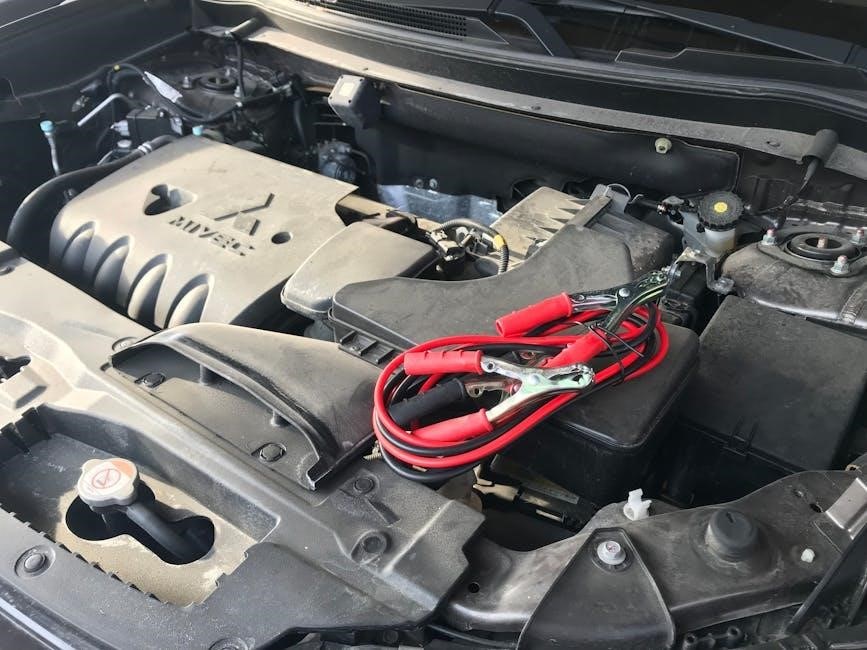
Specifications of Type S Jump Starter Models
Type S offers diverse jump starter models catering to various vehicle needs․ The AC530013 (8000mAh Qi Wireless Model) is designed for smaller engines, featuring Qi wireless charging for convenient mobile device power-ups․ Conversely, the AC532780 (15,000 mAh ProJump Model) boasts increased capacity, suitable for larger vehicles – up to 8․0L gasoline or diesel engines․
Both models incorporate JumpGuide technology for foolproof connection and safety features․ Detailed specifications, including peak amps, starting current, and output voltages, are listed in their respective sections below․
AC530013 (8000mAh Qi Wireless Model) Specifications
The AC530013 delivers 8000mAh of power, providing ample jump-starting capability for cars, trucks, and SUVs with up to a 6․0L gasoline or 4․0L diesel engine․ Peak current reaches 1000A, while starting current is 300A․ It features a built-in Qi wireless charging pad for compatible smartphones, alongside standard USB outputs․
Input is 5V/2A, and outputs include 5V/2․1A USB and 9V/2․1A for faster charging․ Dimensions are compact for portability, and the unit includes safety features like over-charge and short-circuit protection․
AC532780 (15,000 mAh ProJump Model) Specifications
The AC532780, the ProJump model, boasts a substantial 15,000mAh battery capacity, capable of jump-starting vehicles with up to an 8․0L gasoline or 6․5L diesel engine․ It delivers a peak current of 2000A and a starting current of 400A, ensuring reliable starts even in cold weather․ This model incorporates JumpGuide technology for simplified connection․
Input is 5V/2A, with outputs including USB-A and USB-C ports for versatile device charging․ It also features a built-in LED flashlight with SOS and strobe modes․ Robust safety protections are included, safeguarding against reverse polarity, over-discharge, and overheating․
Using the Jump Starter as a Power Bank
Your Type S jump starter doubles as a portable power bank, offering convenient charging for your mobile devices․ Utilize the integrated USB ports – USB-A and USB-C – to charge smartphones, tablets, and other USB-powered gadgets․ The AC530013 model also supports Qi wireless charging for compatible devices, providing a cable-free charging experience․
Simply connect your device via USB cable or place it on the wireless charging pad (if applicable)․ The jump starter’s high capacity ensures multiple charges, making it ideal for travel or emergencies․ Monitor the remaining power via the LCD display․
Charging Mobile Devices via USB
To charge your devices using the USB ports, first ensure the jump starter has sufficient charge․ Connect a standard USB charging cable to the appropriate USB-A or USB-C port on the device․ Then, plug the other end into your smartphone, tablet, or other compatible gadget․
Charging will commence automatically․ The jump starter will deliver a stable 5V/2․1A output, providing efficient charging․ Monitor the charging progress on your device’s screen․ The jump starter’s capacity allows for multiple full charges, making it a reliable power source on the go․
Qi Wireless Charging (If Applicable)
If your Type S model (like AC530013) features Qi wireless charging, simply place your Qi-enabled smartphone or device directly onto the designated charging pad on top of the jump starter․ Ensure proper alignment for optimal charging efficiency․
A charging indicator light will illuminate, confirming a successful connection․ Wireless charging speed is comparable to standard wireless chargers․ Remove any metallic objects or cases between the device and the charging pad for uninterrupted power transfer․ Enjoy the convenience of cable-free charging with your Type S jump starter!
Maintenance and Storage
To ensure longevity, periodically inspect your Type S jump starter for any physical damage to the casing, clamps, or cables․ Clean the clamps with a dry cloth after each use to remove corrosion․ Store the jump starter in a cool, dry place, away from direct sunlight and extreme temperatures․
Avoid storing it with metal objects that could cause a short circuit․ Regularly check the charge level and recharge as needed, even during periods of inactivity, to maintain optimal battery health․ Proper maintenance guarantees reliable performance when you need it most․
Warranty Information and Support
Type S jump starters are covered by a limited warranty against defects in materials and workmanship․ This warranty typically lasts for a specified period from the date of purchase․ Please retain your proof of purchase for warranty claims․ The warranty does not cover damage resulting from misuse, accidents, or unauthorized modifications․

For support, contact Type S customer service through their official website or designated support channels․ They can assist with troubleshooting, warranty inquiries, and product-related questions․ Detailed warranty terms and conditions are available online․

Contacting Type S Support

To reach Type S support for assistance with your jump starter, visit the official Type S website and navigate to the “Support” or “Contact Us” section․ Here, you’ll typically find a comprehensive FAQ section addressing common issues․ If your question isn’t answered, you can submit a support ticket or find contact information for email or phone support․
Ensure you have your model number (AC530013 or AC532780) and proof of purchase readily available when contacting support to expedite the assistance process; Prompt and helpful service is their priority․
Understanding Warranty Coverage

Type S jump starters are covered by a limited warranty against defects in materials and workmanship, typically for a period of one year from the date of original purchase․ This warranty doesn’t cover damage resulting from misuse, accidents, unauthorized modifications, or normal wear and tear․
To make a warranty claim, retain your proof of purchase and contact Type S support․ They will guide you through the process, which may involve returning the unit for inspection and repair or replacement․ Warranty coverage is void if the device is disassembled․